Fidelis Workstation

The operational control layer for shipments, trailers, and appointments.

Workstation unifies imports, watchlists, appointment coverage, exceptions, and data review into one clean workspace — built for imperfect data and real execution.

Exception-first visibility
Shared context across modules
Built to work with spreadsheets
Workstation overview screenshot
Tip: click any screenshot to enlarge
What Workstation does

This is where your team lives daily — not a reporting tool, an execution workspace.

Unify data

Import shipments, trailers, and appointment fields without needing perfect files or rigid formats.

Expose gaps

See what’s missing: appointments, milestones, references, and coverage across inbound/outbound flows.

Drive action

Watchlist + exceptions keeps attention on what matters — and preserves context across shifts.

Clean safely

Review and correct data while maintaining operational traceability and confidence in KPIs.

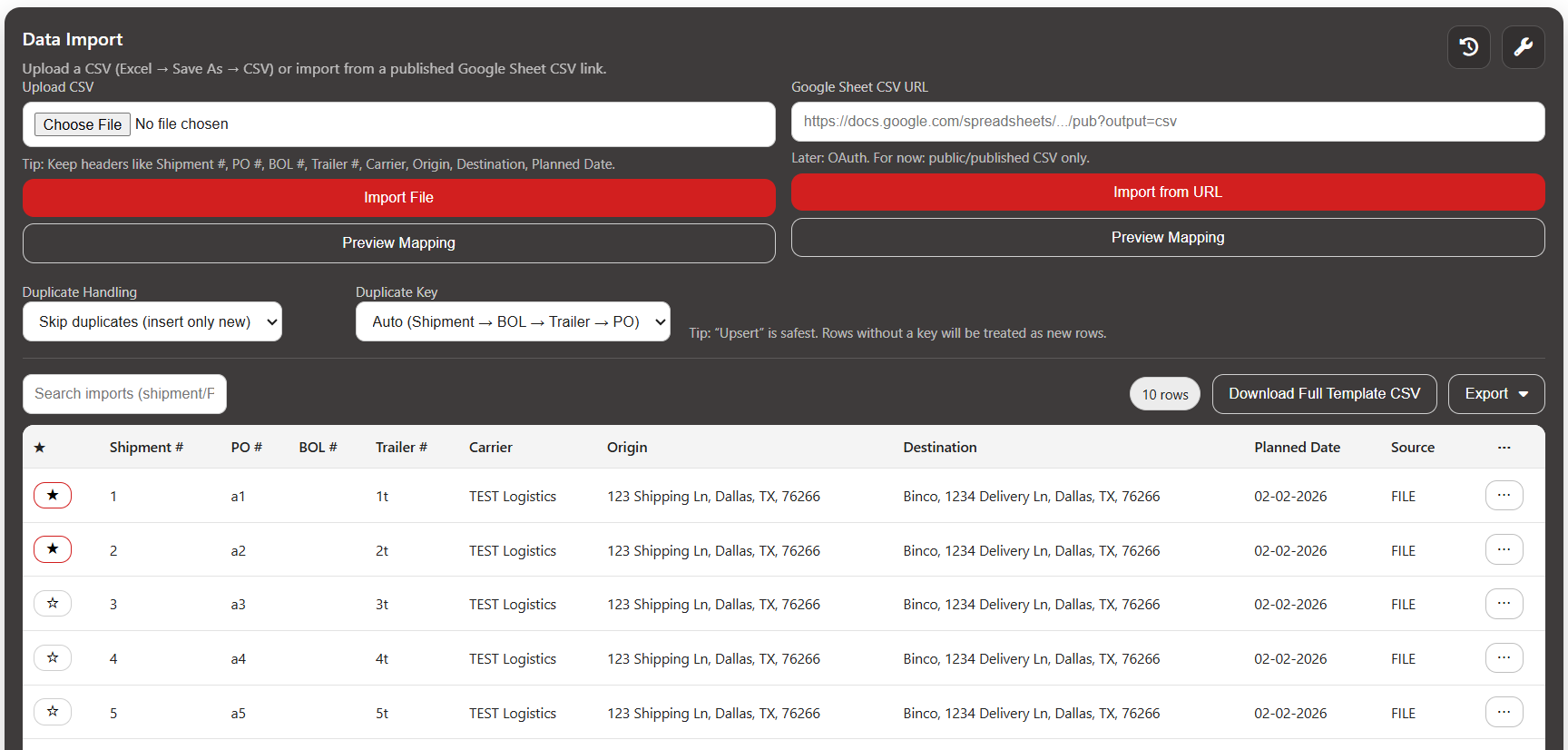
Data Import tab screenshot
Data Import

Bring data in — your way

Workstation is designed for operational reality: messy files, missing fields, and different formats by carrier, plant, or customer.

  • Import shipments, trailer lists, or appointment fields
  • Supports incomplete records and ongoing updates
  • Built to reduce manual re-entry between systems
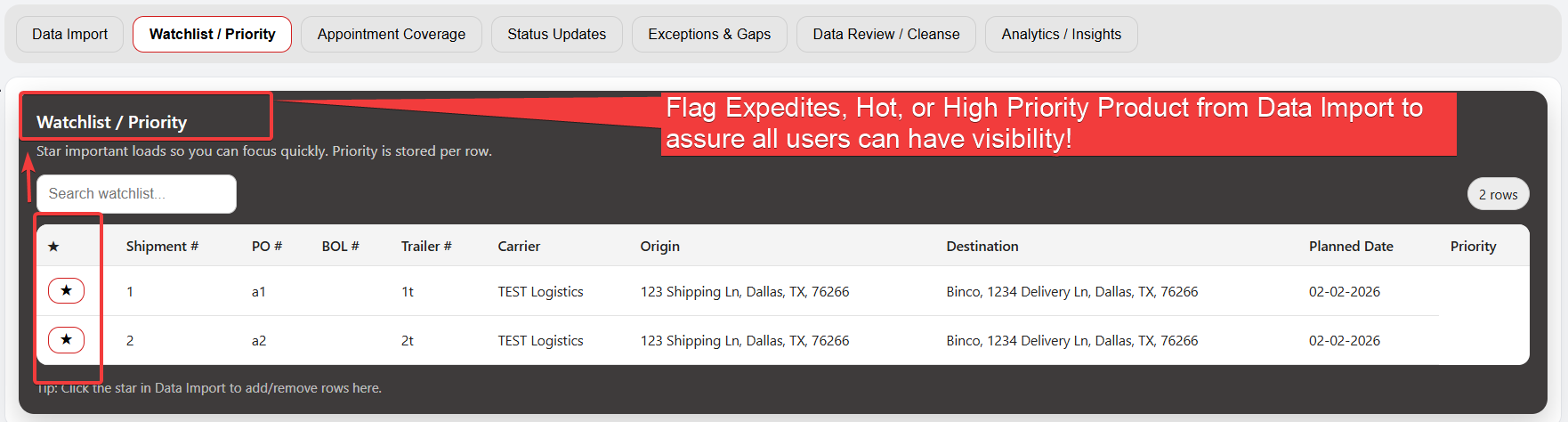
Watchlist

Focus attention where it matters

Not every load needs action. Watchlist keeps the right items in view so issues don’t get lost in inboxes, spreadsheets, or shift handoffs.

  • Flag shipments/trailers that need monitoring
  • Persist attention across shifts and teams
  • Reduce “reactive firefighting”
Watchlist tab screenshot
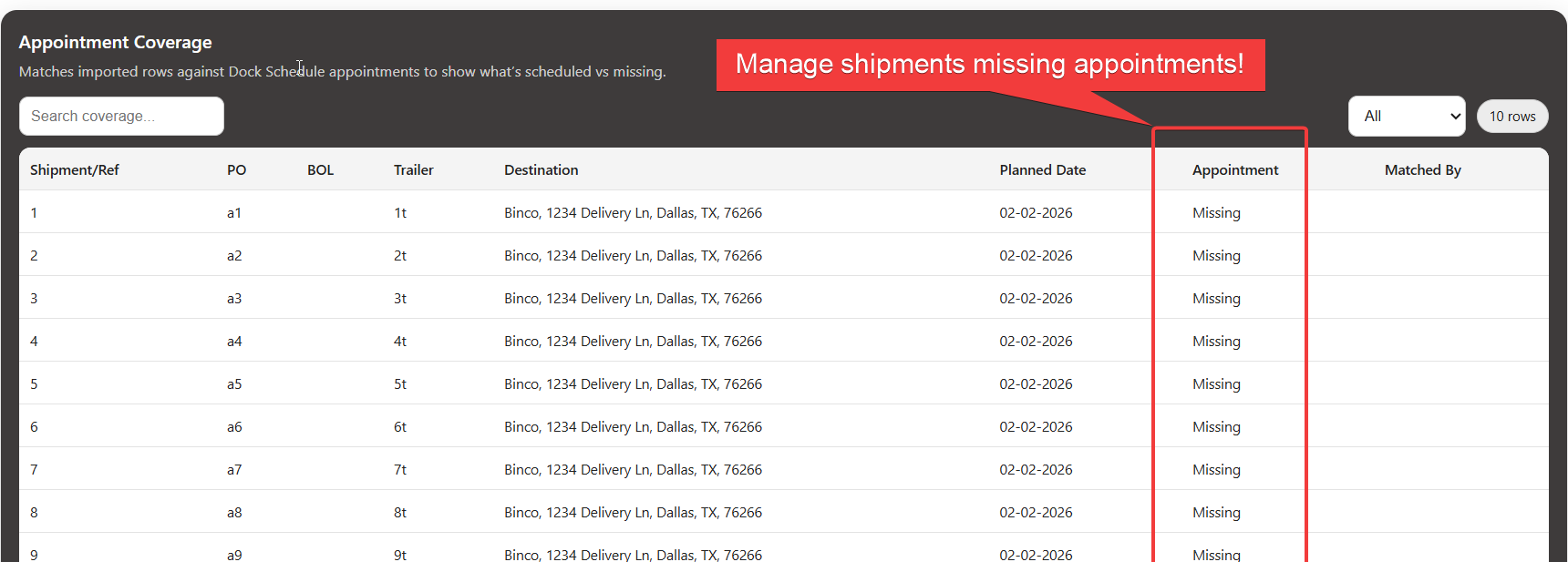
Appointment coverage screenshot
Appointment Coverage

Know what’s covered — and what isn’t

Coverage isn’t “on time or late.” It’s whether the right appointments exist based on the shipment flow.

  • Identify missing pickup vs delivery appointments
  • Support inbound, outbound, and distributor-to-DC flows
  • Close gaps before they become exceptions
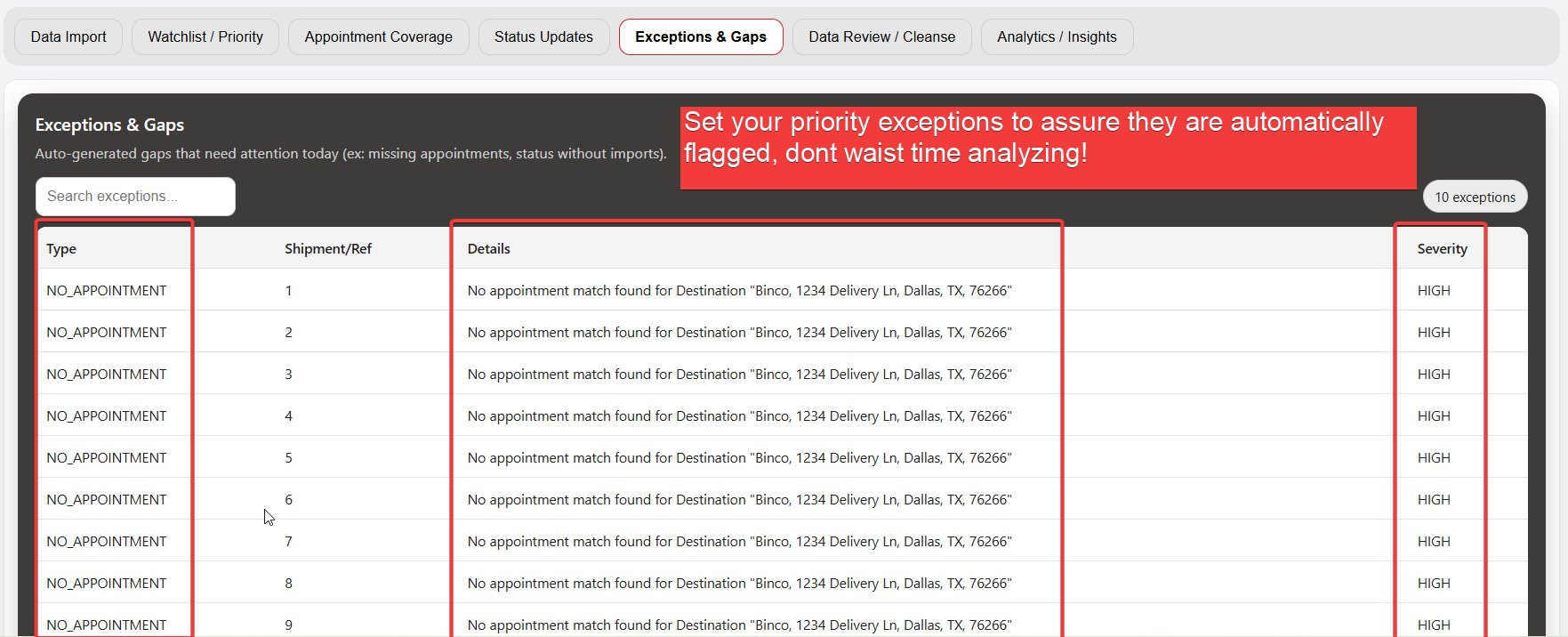
Exceptions

Exceptions aren’t failures — they’re signals

When teams can see issues early, they stop blaming carriers for problems outside their control and start fixing root causes.

  • Flag missing data, conflicts, and late milestones
  • Separate carrier vs shipper/consignee causes where possible
  • Drive consistent follow-up and resolution
Exceptions tab screenshot
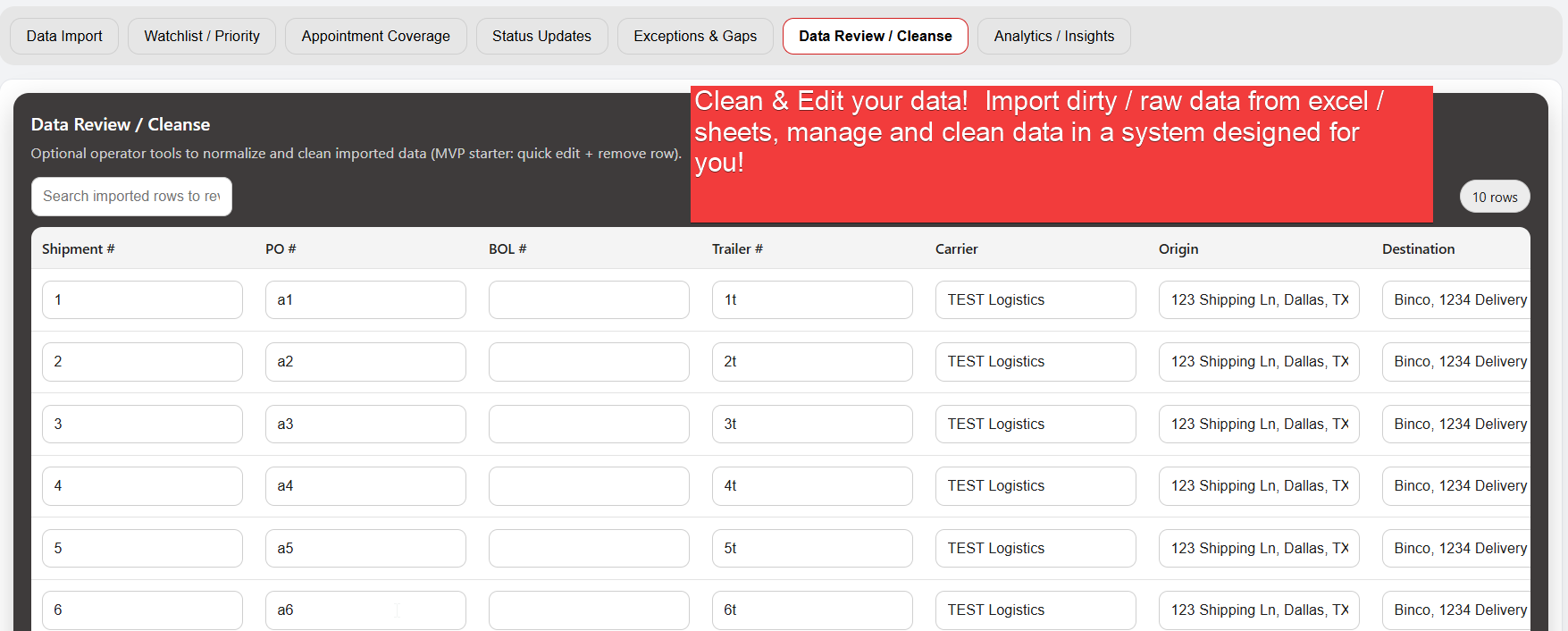
Data review and cleanse screenshot
Data Review / Cleanse

Clean data without losing context

Your operation changes constantly — edits should improve accuracy without erasing what happened or why.

  • Review and correct imported values
  • Preserve history for auditability and learning
  • Build confidence in KPI and analytics outputs
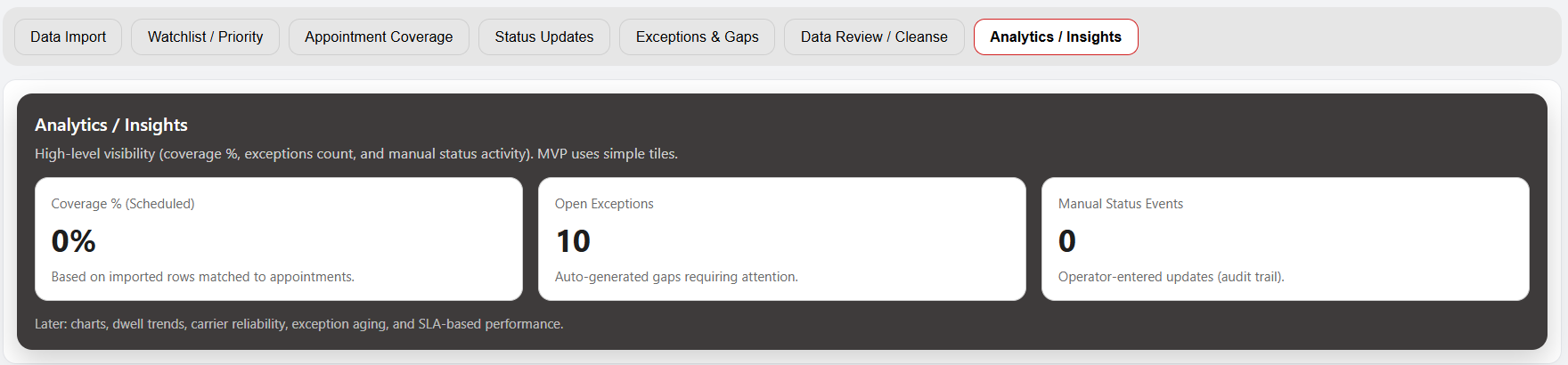
Analytics / Insights

Insights built on execution data

Analytics matter only when they reflect what really happened. Workstation creates the foundation for KPIs, reporting, and automation.

  • Performance trends by carrier, facility, lane, and time
  • Coverage and exception analysis to reduce repeat issues
  • Scale into integrations and automation over time
Analytics and insights screenshot

Why teams choose Workstation

Built for daily execution

Not a weekly dashboard — a live workspace for ops teams to run the day.

Context persists

Watchlists and exception history prevent re-making the same decisions every shift.

Fits your reality

Works alongside spreadsheets and messy inputs while your process matures.

Foundation for automation

Clean, structured data enables KPIs, integrations, and workflow automation later.

Want to see this mapped to your operation?

We’ll walk through your workflow and show exactly where Workstation reduces touches and improves visibility.